P999 Register – Create Your Account in Minutes
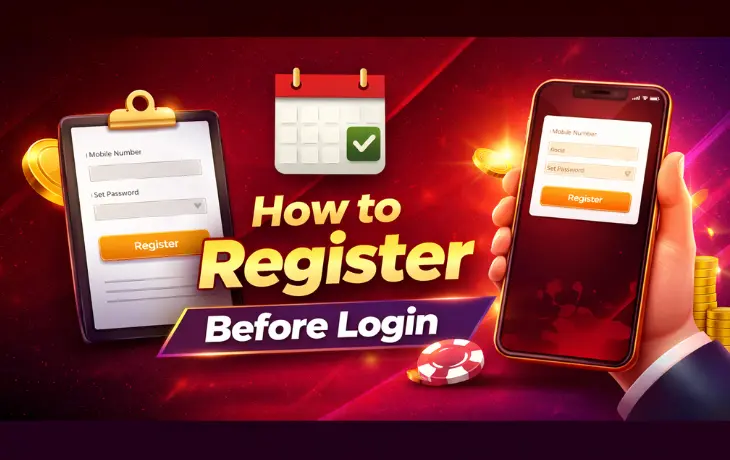
P999 Register is the first step before you can play any game or claim any bonus on the app. This guide walks you through the full sign-up process, from start to finish.
You’ll also find fixes for the errors new users run into most, like a missing OTP or a rejected password. Everything here is written for Pakistani users trying to set up their account the right way, the first time.
This is an independent guide. We are not the official P999 team. Our goal is to help you register safely and avoid common mistakes.
Quick Answer: To complete P999 Register, download the app, tap Sign Up, enter your phone number, verify it with an OTP, then set a password. The whole process usually takes under five minutes.
What Is P999 Register?
P999 Register is the sign-up process that turns you from a visitor into an account holder. Without it, you can’t log in, deposit, or play a single game.
The process itself is short. You enter a phone number, confirm it with a code, and set a password. Some versions of the app also ask for an email, though that step is often optional.
Once you finish P999 registration, your account is ready. From there, you can move on to your first login or head straight to the deposit page if you want to add funds right away.
Who Can Create a P999 Account?
Not everyone qualifies to sign up, and that’s by design. A few basic rules apply before you even start.
- You must be 18 years old or older.
- You need an active Pakistani phone number.
- You need a device that can run the P999 app or access the browser version.
- You must be creating the account for yourself, not for someone else.
If you don’t meet these, registration either won’t work or the account may get flagged later. It’s not worth trying to work around them.
Requirements Before Registration
Gathering everything first makes P999 account registration faster. Here’s what to have ready.
| Requirement | Why It Matters |
|---|---|
| Active phone number | Used for OTP verification and as your login ID |
| Valid email (optional in most cases) | Backup contact method and password recovery |
| Stable internet connection | Prevents the sign-up form from failing midway |
| Updated app or browser | Older versions sometimes can’t load the registration screen |
| Age 18 or older | Required by the platform’s own rules |
Tip: Use a phone number you plan to keep for a while. Changing it later can complicate account recovery.
How to Register on P999 Game
Here’s the full P999 Register walkthrough, step by step.
- Download the app or open the browser version.
- Tap Sign Up or Register on the opening screen.
- Enter your phone number.
- Wait for the OTP and enter it to verify your number.
- Create a password for your account.
- Confirm your details and submit the form.
Once submitted, your account activates right away in most cases. You can then move straight to logging in.
Required Information
| Field | Details |
|---|---|
| Phone number | Must be active and able to receive SMS |
| Password | Set during sign-up, used for future logins |
| Email (if asked) | Optional in most versions, used for recovery |
| Date of birth or age confirmation | Confirms you meet the 18+ requirement |
Phone Number Verification
Phone verification is the core of P999 register online. Your number becomes your main identity inside the app, so this step matters more than it might seem.
After you enter your number, you’ll receive an OTP by text. Enter that code within the time limit shown on screen, and your number gets confirmed.
If you don’t receive the code, don’t panic. The OTP Not Received section below covers exactly what to do.
Email Verification
Email verification isn’t always required, but some versions of the app ask for it as a backup. If you’re prompted, enter an email address you actually check.
The process is simple: enter your email, then click a confirmation link sent to your inbox. This step usually takes less than a minute.
If you skip email during sign-up, you can often add one later from your account settings.
How to Create a Strong Password
Your password protects real money, so it deserves more thought than a password for a random app.
| Password Rule | Recommendation |
|---|---|
| Length | At least 8 characters |
| Character mix | Combine letters, numbers, and a symbol if allowed |
| Uniqueness | Don’t reuse a password from another account |
| Predictability | Avoid your name, birthday, or “123456” style passwords |
| Storage | Save it in a password manager, not a notes app |
Warning: Never share your password with anyone, including someone claiming to be P999 support. No legitimate support agent will ever ask for it.
Common Registration Errors
New users run into a handful of errors more than any others. Here’s what they usually mean.
| Error | Likely Cause | Fix |
|---|---|---|
| “Phone number already registered” | An account already exists for that number | Try logging in instead of registering again |
| “Invalid phone format” | Number entered incorrectly | Re-enter starting with 03, no spaces |
| “OTP incorrect” | Code typed wrong or expired | Request a new OTP and enter it quickly |
| “Weak password” | Password doesn’t meet the minimum rules | Follow the password table above |
| “Registration failed” | Server issue or lost connection | Wait a moment and try again |
OTP Not Received
A missing OTP during sign-up is common, and it’s rarely serious. A few things usually cause it.
- Weak mobile signal
- VPN software blocking text messages
- Network congestion
- A typo in your phone number
Try these fixes in order:
- Check your signal strength.
- Turn off any VPN.
- Restart your phone.
- Wait a minute, then request the OTP again.
- Double-check the phone number you entered.
If it still doesn’t arrive after a few attempts, contact our customer support page for help.
Registration Failed Solutions
If your P999 registration fails outright, work through this list before trying again.
- Confirm your phone number is entered correctly.
- Make sure you’re connected to a stable network.
- Update the app to the latest version.
- Clear the app’s cache if it’s freezing on the sign-up screen.
- Try again after a few minutes if the server seems busy.
Most registration failures clear up with one of these steps. If nothing works, support can usually tell you what’s actually going wrong on their end.
Age Requirements
You must be 18 or older to create a P999 account. This isn’t a suggestion. It’s a hard requirement tied to real-money gaming, and it applies no matter which game you plan to play.
If the app suspects an account belongs to someone underage, it can be suspended or closed. There’s no workaround here, and there shouldn’t be one.
Is P999 Registration Free?
Yes. Creating an account costs nothing. You won’t be charged just for signing up.
Money only comes into the picture if you choose to deposit funds later through our deposit page. Registration itself is completely free, and so is browsing the app before you decide to play.
Registration Tips
A few small habits make the whole process smoother.
- Use a phone number you check regularly.
- Set a password you’ll actually remember, but don’t make it easy to guess.
- Complete registration in one sitting rather than pausing halfway through.
- Double-check your details before submitting the form.
- Keep a screenshot or note of your registration details somewhere safe.
Security Tips for New Users
New accounts are often targeted first, since new users don’t always know the warning signs yet.
- Never register through a link sent by text message or social media.
- Only download the app from a source you trust.
- Avoid using the same password you use for banking or email.
- Ignore any offer promising a bigger bonus for registering through a “special” link.
- Read through our Trust and Safety page before you deposit any money.
Warning: Fake registration pages exist and often look identical to the real one. If a page asks for unusual details, like your bank PIN during sign-up, close it immediately.
Verification Methods Compared
Both phone and email verification exist to prove you’re a real person, but they work a little differently.
| Method | Speed | Required? | Best For |
|---|---|---|---|
| Phone (OTP) | Usually instant | Yes, in most versions | Primary identity and login |
| A minute or two | Often optional | Password recovery backup |
If you can only complete one, phone verification is the one that actually matters. Everything else in your account depends on it.
What Happens After You Register
Once your account is active, a short setup checklist can save you time later.
- Log in once right after registering to confirm everything works.
- Add an email if you skipped it during sign-up, in case you ever need password recovery.
- Check the bonus page for any new-account offers you might qualify for.
- Read the Trust and Safety page before making your first deposit.
- Bookmark the customer support page in case you need it later.
None of this is required, but it takes a few minutes and saves confusion down the line.
Frequently Asked Questions
Do I need to pay to create a P999 account?
No. Registration is completely free. You only spend money if you choose to deposit later.
Can I register with just an email, no phone number?
Most versions require a phone number, since it’s used for OTP verification and as your login ID. Email is usually a secondary option.
What happens if I already have an account and try to register again?
You’ll likely see a “phone number already registered” message. Use the login page instead.
How long does P999 Register take?
Most users finish in under five minutes, assuming the OTP arrives quickly and the details are entered correctly.
Can I change my phone number after registering?
This usually requires help from support, since your number is tied to account security. Reach out through customer support if you need this.
Is there a bonus for registering?
Some sign-up bonuses exist. Check our bonus page for current details, since terms can change.
What should I do if registration keeps failing?
Work through the Registration Failed Solutions section above. If nothing helps, contact support directly.
Can I register more than one account?
Most platforms, including this one, expect one account per person. Creating multiple accounts can lead to a suspension, so it’s not worth the risk.
Do I need to verify my identity with documents?
Basic registration usually only needs phone verification. Some withdrawals later on may ask for extra identity checks, which is normal for real-money platforms.
Final Conclusion
P999 Register only takes a few steps: download the app, enter your phone number, verify it, and set a password. Most new users finish the whole thing in under five minutes.
If you run into trouble, the fixes above cover the most common issues, from a missing OTP to a rejected password. For anything else, our customer support page can help directly.
Once your account is active, visit our homepage for a full overview, or head straight to login, deposit, and eventually withdrawal when you’re ready to play and cash out.